 onepard
Introducing Chat Actions
Onepard learns what customers can do on your website. They ask in chat, Onepard handles the request on your site, and they get the result in the same conversation.
By Onepard ·
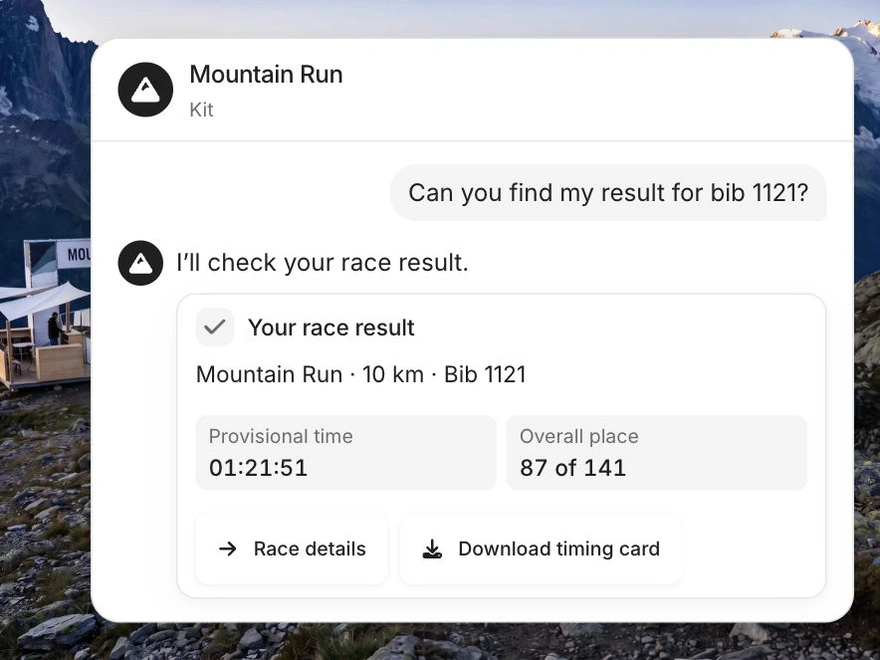
Get a result right in chat
A runner asks for their Mountain Run result by bib number. Onepard looks it up on the event website and brings their time, placing and timing card back into the conversation.
Go from a question to the right class
A visitor asks whether Northside Swim School teaches beginners, then asks for a Saturday morning class. Onepard checks the school’s timetable and finds the 10:30 a.m. class at Northside Pool.

What customers can get done in chat
Customers ask in their own words and Onepard carries out the task on your website. The same actions are available in your shareable chat page, corner chat bubble and bottom chat box.
- Find a journey
- A traveller asks for trains from London to York on Friday morning and gets journeys for that route and date in chat.
- Check an account
- A customer asks about their latest order and sees the details in chat after signing in to their account.
- Send a request
- A customer describes what needs fixing and sends a repair request to the business through chat.