 onepard
Enquiries
When a customer asks for a quote, a callback or help from your team, Onepard opens a short form in chat. Once they send it, you get their enquiry by email.

Give customers a way to reach your team from chat
Onepard fills in the request with what the customer has already told it. They add their name and an email address or phone number, then send the form right in the conversation.
- Ask for a quote
Can I get a quote for a private event for 40 people?
The venue gets the group size and any dates the customer shared.
- Request a callback
Could someone call me about a door repair?
The repair team sees what needs fixing and gets the contact details the customer left.
- Try a class
Can I try the Saturday beginner class?
The swim school gets the class, time and location the customer asked about.
- Ask for a demo
Can someone show our team how this works?
The business gets the demo request and what the customer wants to see.
Get the enquiry in your inbox
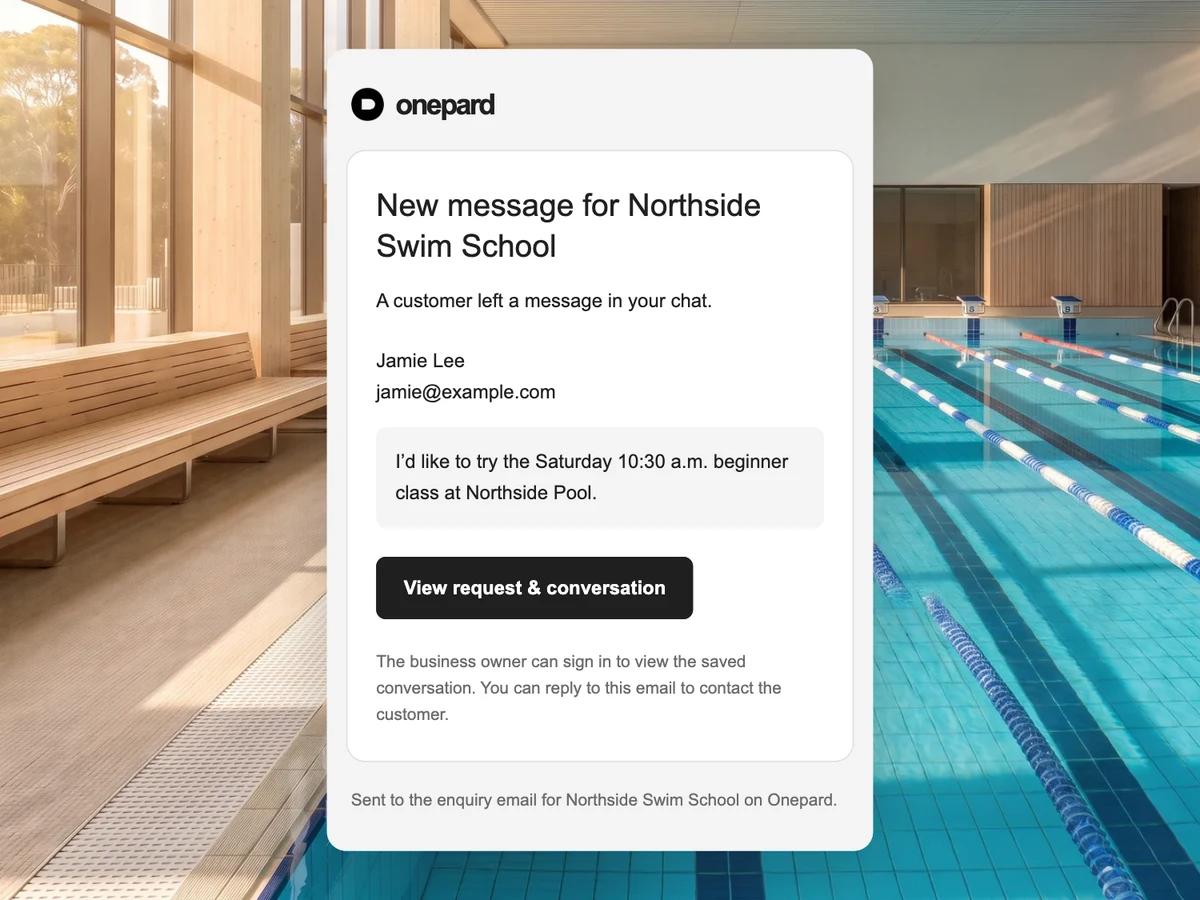
Your team gets the request, the customer’s contact details and a link to the conversation in one email. If the customer leaves an email address, you can reply directly. If they leave a phone number, you can call them back.
Open the link in Onepard to see what they asked before they filled in the form. If you run more than one business, each can use its own enquiry inbox.
Common questions
Can enquiries go to our team’s shared inbox?
Yes. Set the enquiry email in Chat settings. Once someone verifies the new address from that inbox, new notifications go there.
What does the customer need to fill in?
The form asks for their name, an email address or phone number, and what they need help with. Onepard fills in the request from what they’ve already shared in chat.
Can I keep the contact form I already have?
Yes. Your website’s contact form can stay where it is. Customers who are already chatting can reach you using Onepard’s form in the conversation.
Can customers send an enquiry after hours?
Yes. Customers can send a form even when your team is offline. The request arrives by email for you to pick up when you’re back.
Do customers need to create an account to ask for a quote?
They can fill in the enquiry form as a visitor. Onepard asks for their name and a way for your team to contact them.
Try your own enquiry form
Open your chat and ask for a quote or callback to see the form your customers get.